

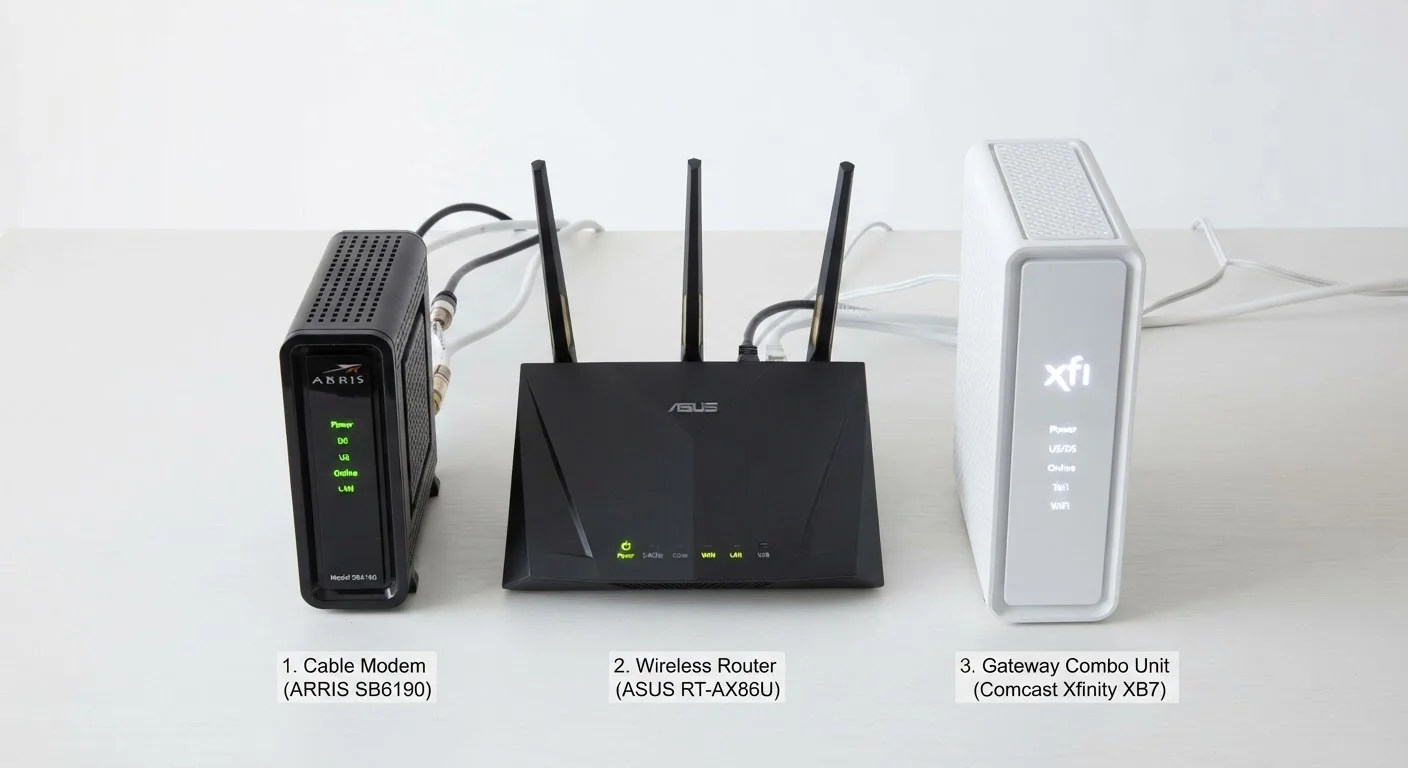
What Each Box Actually Does
Most home internet setups involve at least two distinct jobs happening behind the scenes. Understanding those jobs makes every other networking decision easier.
The modem (short for modulator-demodulator) is the device that talks to your internet service provider (ISP). It receives a signal over your incoming line — whether that's a coaxial cable, a phone line, or a fiber connection — and converts it into a digital signal that your home devices can use. Without a modem, you have no connection to the internet at all.
The router manages traffic inside your home. It takes that single internet connection from the modem and distributes it to all your devices — phones, laptops, smart TVs — either through Wi-Fi or ethernet cables. The router also assigns each device its own local address (using a protocol called DHCP) so they don't collide with each other on the network.
The gateway is simply a modem and router built into one physical box. ISPs frequently supply these as rental equipment because they're simpler to provision and support. You get one device, one power cable, and one set of indicator lights — but also fewer options if something needs upgrading.
For a deeper look at how your router handles different wireless frequencies, see our guide to Wi-Fi frequency bands.
Separate vs. Combined: A Direct Comparison
Choosing between a separate modem-and-router setup versus a gateway comes down to flexibility, cost over time, and how much you want to manage.
| Criterion | Modem + Router (Separate) | Gateway (Combo) |
|---|---|---|
| Setup complexity | Two devices, two configs | Single device, simpler setup |
| Upgrade flexibility | Upgrade each independently | Replace entire unit |
| Typical upfront cost | Higher (two purchases) | Lower or ISP-provided |
| Monthly rental fee | None if you own the modem | Often $10–$15/month if rented |
| Performance ceiling | Higher (dedicated hardware) | Limited by combined unit specs |
| Troubleshooting ease | Easier to isolate faults | Harder to separate issues |
| Space and cable use | More cables, more space | Compact, fewer cables |
The main practical advantage of separate devices is independent upgradability. If your ISP upgrades your plan to a faster tier, you might only need to swap the modem. If your Wi-Fi range is the problem, you replace just the router — or add a mesh system. With a gateway, you're often replacing the whole unit when only half of it needs updating.
Separate setups also tend to perform better at scale. Dedicated routers typically offer more advanced features: stronger antennas, better traffic prioritization (QoS), parental controls, and guest network options. Gateways, particularly ISP-issued ones, are often built to a lower specification to keep costs down across millions of subscribers.
Troubleshooting: Knowing Which Box Is the Problem
One underrated benefit of separate devices is easier fault isolation. When your internet goes out, the first question is: where did it break?
- No internet anywhere, Wi-Fi still showing: The problem is likely the modem or your ISP's line. Try power-cycling the modem (unplug it, wait 30 seconds, plug it back in). If the modem's status lights don't return to normal, call your ISP.
- Modem looks fine but devices can't connect: The router is the likely culprit. Restart it separately. Check if the issue is only on wireless devices (router antenna or band issue) or all devices including wired ones (routing or DHCP issue).
- One device can't connect but others can: The problem is almost certainly the device itself, not the modem or router.
With a gateway, you lose that clear separation — restarting the whole unit is your first step regardless, which can make it harder to pinpoint the source of recurring issues.
If you're thinking about expanding coverage across a larger space, mesh network systems pair well with a standalone modem and can replace a traditional single router entirely.
ISP Compatibility Matters
Not every modem works with every ISP. Before purchasing a standalone modem, verify it appears on your provider's approved device list — this information is typically available on the ISP's support website. Using an incompatible modem can result in throttled speeds or outright refusal to activate the device. Fiber ISPs in particular often supply their own optical network terminal (ONT), which is a different type of device and is rarely replaceable with a retail purchase.
For households considering dropping fixed broadband entirely, it's worth understanding how this compares to mobile alternatives. See fixed home internet vs. mobile hotspot for a realistic breakdown of trade-offs. You can also browse our Gadgets & Devices hub for more plain-language hardware explainers.


