

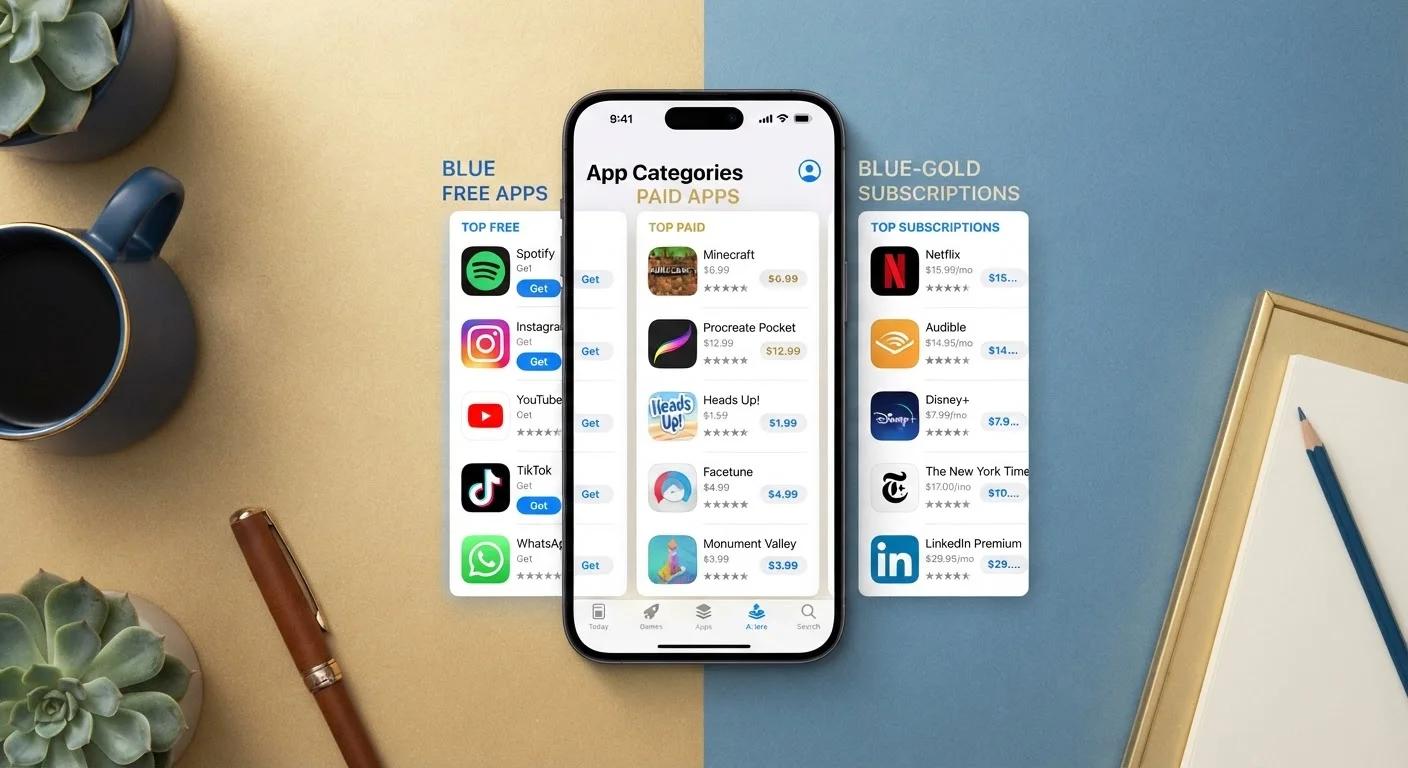
Why the Pricing Model Matters More Than the Price Tag
When you download an app, you're not just deciding whether to spend money — you're agreeing to a specific relationship with a company. That relationship determines what features you get, how often the app improves, what happens to your personal data, and whether you'll owe anything down the road. The three dominant models — free, paid, and subscription — each make a different set of promises and trade-offs.
Understanding those trade-offs is especially important because the app stores don't always make them obvious. An app labeled "Free" isn't necessarily without cost, and a subscription isn't automatically a bad deal. What matters is knowing what you're agreeing to before you tap "Install."
For a closer look at what data apps can collect once installed, see what app permissions actually mean — it pairs directly with the privacy considerations below.
Free Apps: What Funds Them When You Pay Nothing
Free apps have one of three common revenue strategies: advertising, in-app purchases, or data monetization. Most use a combination.
- Ad-supported: You see banner ads, video ads, or sponsored content inside the app. The developer earns money each time you view or click an ad. Your attention is the product.
- In-app purchases (IAP): The app is free to download but charges for individual features, virtual goods, or content unlocks. Games use this heavily, but productivity apps do too — think unlocking a "pro" export format or removing a document limit.
- Data monetization: Some apps collect behavioral data — what you search, where you go, how long you spend on certain screens — and share or sell aggregated insights to advertisers or data brokers. This model is more common than most users realize.
Free doesn't mean bad. Many genuinely useful apps are free and responsibly run. But you should know which model you're in. The privacy trade-off behind free apps explains this in more detail, including how to spot data-heavy models before you commit.
| Free App | Paid App | Subscription | |
|---|---|---|---|
| Upfront cost | $0 | Fixed one-time fee | $0 to start, recurring after |
| Ongoing charges | None (usually) | None after purchase | Monthly or annual billing |
| Revenue model | Ads, IAP, or data | Purchase price | Recurring fees |
| Data privacy risk | Often higher | Generally lower | Varies by company |
| Update frequency | Varies widely | Often infrequent | Typically regular |
| Cancellation flexibility | Delete anytime | Permanent purchase | Cancel anytime (usually) |
| Best suited for | Casual use | Stable, defined tools | Daily-use, evolving tools |
Paid Apps: Clean Ownership, With Limits
A paid app charges a one-time fee at download — you pay, you own it. No ads, no ongoing billing, and typically no pressure to buy extras. This model was the norm in the early app store era and still suits certain categories well: utilities, specialized tools, reference apps, and games designed as complete experiences.
The limits worth knowing:
- Major upgrades may cost extra. App developers sometimes release a new version (e.g., "App Name 3") as a separate paid purchase rather than a free update to the version you bought. This is legal and common, especially on desktop software.
- Support can be minimal. Because there's no recurring revenue, smaller developers may update paid apps infrequently or eventually abandon them.
- Refund policies are narrow. Both Apple's App Store and Google Play have limited refund windows. Once that window closes, the purchase is generally final.
If you're evaluating a paid app, check the "Last Updated" date in the app store listing. An app that hasn't been updated in over a year on a current operating system version may have unresolved bugs or compatibility issues.
Subscriptions: Ongoing Value — and Ongoing Vigilance
Subscriptions charge on a recurring basis — monthly or annually — in exchange for continuous access to the app and its features. The developer's incentive shifts: they need to keep you satisfied enough to renew, which typically means more frequent updates, active customer support, and evolving features.
This model dominates creative software, productivity suites, cloud storage, and streaming services. When it works, it means the app genuinely improves over time. When it doesn't, it becomes a line item you forget about.
Key things to watch for:
- Free trial auto-conversion: Many subscriptions start with a free trial that automatically converts to paid billing if you don't cancel before the trial ends. Set a calendar reminder when you start any free trial.
- Annual vs. monthly pricing: Annual plans are usually cheaper per month but commit you to a full year. If you're unsure you'll keep using an app, start monthly.
- What happens to your data if you cancel: Some apps let you export your work; others lock you out entirely once billing stops. Check before you invest significant time in an app.
Before canceling a subscription app, it's worth running a quick audit — before you delete an app, run through this checklist to avoid losing saved data or linked accounts.
Audit Your Subscriptions Periodically
Most people underestimate how many app subscriptions they're actively paying for. Check your bank or credit card statement and your device's subscription manager (available in iPhone Settings under your Apple ID, or Google Play under Payments & Subscriptions) every few months. Cancel anything you haven't opened in 30 days — renewal charges rarely come with a reminder.
Making the Call: Questions to Ask Before You Download
Rather than defaulting to free or assuming subscriptions are always wasteful, use these questions to guide your decision:
- How often will I use this? Daily use justifies a subscription. Occasional use leans toward free or paid.
- What am I comfortable sharing? If the app requests broad data permissions and it's free, data collection is likely part of the model. See what each permission actually means before agreeing.
- Do I need it to stay current? Apps in fast-moving categories (security tools, creative software) benefit from subscription-style continuous updates. A static utility probably doesn't.
- What's my exit plan? Can you export your data? Will content you created survive a cancellation or switch to a competing app?
The device you're using also shapes which pricing models are available to you — your phone's operating system affects everything from app availability to how subscriptions are billed and managed.
Pricing models are designed by companies to serve their interests — your job is to understand the terms well enough to serve yours.


