

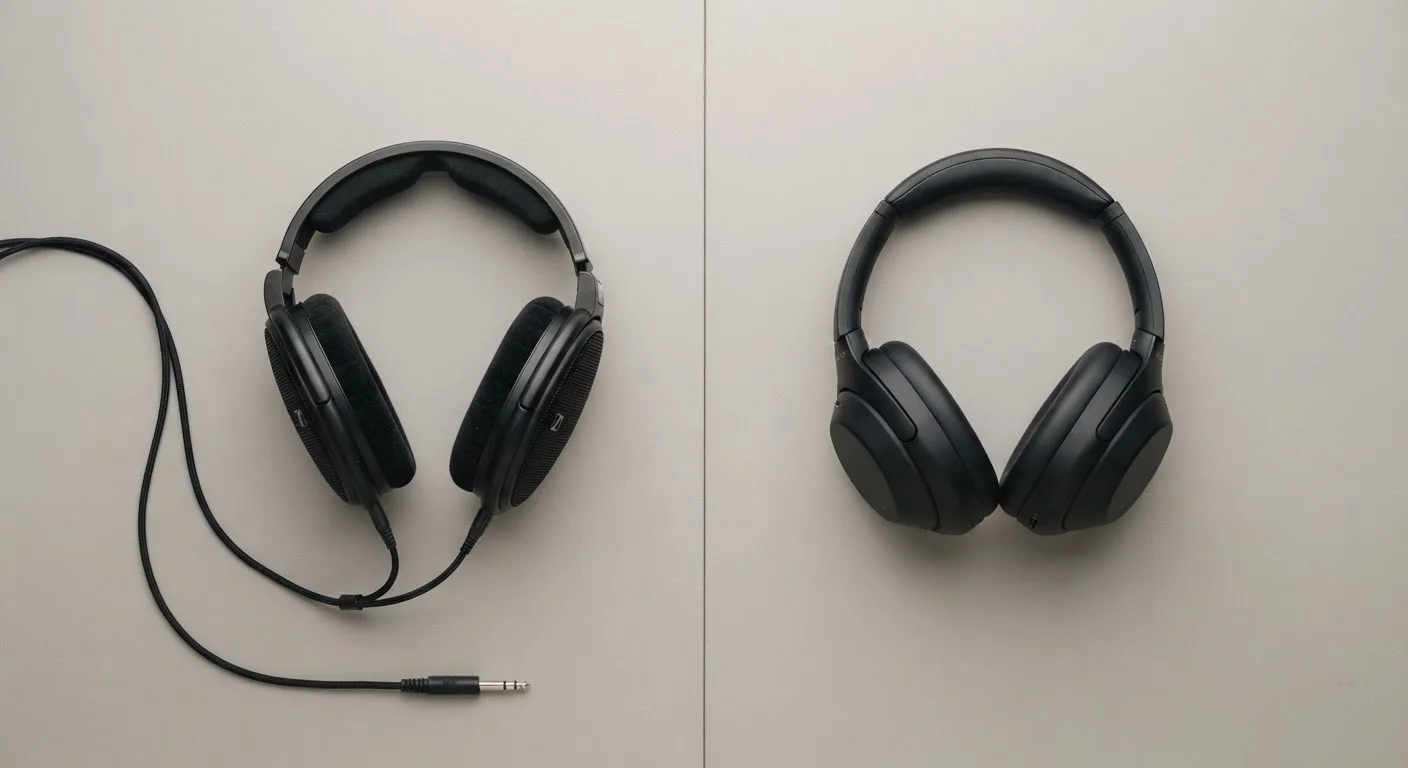
How Each Type Actually Delivers Sound to Your Ears
Wired headphones send audio as an analog electrical signal directly from your device to the headphone driver — the small speaker element that produces sound. There is no encoding, no transmission, and no decoding step. The signal travels down the cable and plays.
Wireless headphones work differently. Your device compresses audio into a digital format, transmits it via Bluetooth, and the headphones decode and convert it back to analog before playing it. This is why people say wireless audio is "compressed" — it goes through an extra processing stage that wired audio skips entirely.
Bluetooth uses audio codecs — compression formats — to do this work. The standard codec, SBC, applies noticeable compression. Higher-quality codecs like AAC, aptX, and LDAC compress less aggressively and preserve more detail. Which codec your headphones and device support together determines how much of that original audio survives the trip. For a broader look at how Bluetooth works alongside other short-range wireless standards, see how Bluetooth, Wi-Fi, and NFC each handle different jobs.
Sound Quality: Is the Difference Audible in Real Life?
In controlled listening tests, trained audio engineers can distinguish uncompressed wired audio from compressed wireless audio — particularly in the high-frequency detail of instruments like cymbals or acoustic strings. In everyday use, playing streaming music through a phone, the gap narrows considerably.
Streaming services themselves compress audio before it reaches your device. If your source material is already compressed, the additional step of Bluetooth encoding rarely makes a perceptible difference for casual listening. Only listeners playing high-resolution local audio files are likely to notice the full chain of quality differences.
The short version: if you are streaming music on a commute or at a gym, wireless audio quality is unlikely to bother you. If you are making mixing decisions or evaluating recordings critically, wired is the more dependable baseline.
| Wired Headphones | Wireless Headphones | |
|---|---|---|
| Audio compression | None — direct analog signal | Codec-dependent; varies by quality |
| Latency | Near-zero | 30–200ms depending on codec |
| Battery required | No | Yes — typically 20–40 hours per charge |
| Cable management | Cable required; can tangle or snag | No cable |
| Device compatibility | Requires 3.5mm jack or adapter | Bluetooth on most modern devices |
| Ideal for | Critical listening, gaming, video work | Commuting, exercise, casual use |
Latency: When the Gap Between Sound and Image Actually Matters
Latency is the delay between audio being generated and reaching your ears. Wired headphones have near-zero latency — effectively instantaneous. Bluetooth introduces a delay that typically ranges from around 30 milliseconds to over 200 milliseconds depending on the codec and hardware used.
For music playback alone, latency is invisible — you are not watching anything sync to the audio. It becomes a real problem in two situations: watching video, where dialogue appears out of sync with lip movement, and gaming, where sound cues like footsteps or weapon fire need to match on-screen events precisely.
Many wireless headphones now support low-latency modes or use codecs designed to reduce delay. Some reduce Bluetooth latency to under 40 milliseconds, which is imperceptible to most people. But this performance depends on both the headphones and the device supporting the same low-latency codec. Checking compatibility before assuming low-latency performance is reliable practice.
Check Codec Compatibility Before Buying Wireless
The audio quality and latency of wireless headphones depend on both the headphones and your source device supporting the same codec. Look up which codecs your phone supports before assuming a higher-quality codec like LDAC or aptX will be active. If the two devices share only SBC, that is the ceiling you will get regardless of what the headphones are capable of.
Everyday Use: Where the Real Trade-Offs Show Up
Sound quality data aside, the practical differences between wired and wireless headphones show up in daily routines more than in audio waveforms.
Wireless headphones require charging. A dead battery mid-commute is a common, genuinely frustrating experience that wired headphones cannot produce. Most wireless models offer between 20 and 40 hours of playback, but that figure assumes optimal conditions and degrades over the battery's lifespan.
Bluetooth pairing occasionally fails — switching between devices, reconnecting after a gap, or dealing with interference in crowded wireless environments like airports are recurring friction points. Wired connections are plug-and-play with no pairing state to manage. This parallels a broader pattern in wired versus wireless technology, explored in our piece on when a wired connection still makes a real difference.
On the other side, cables snag on doorframes, tangle in pockets, and restrict movement during exercise. Many current smartphones have removed the 3.5mm headphone jack entirely, making wired listening require a USB-C or Lightning adapter — an extra accessory to carry and potentially lose.
~30ms
Minimum Bluetooth audio latency with advanced codecs
Low-latency Bluetooth codecs like aptX Low Latency can achieve delays around 30–40ms, approaching practical imperceptibility for video sync.
3.5mm
Headphone jack absent from most flagship phones since ~2017
The removal of the analog headphone jack from many flagship smartphones has pushed more listeners toward wireless or adapter-dependent wired listening.


